Confirm & document an MRCA
Once you've identified the common ancestor behind a match or a cluster, GDAT 4 lets you record it on the match and write it up as a family-group narrative — turning analysis into documented, reusable research.
Record an MRCA on one match
- Open the match in Person and go to the MRCA tab.
- Type an MRCA note describing the common ancestor.
- Set the Family group. The tab lists the ancestral couples in this match's tree as clickable buttons — click one to use it as the group name.
- Click Save.
Confirm matches into a family group in bulk
To work through a whole group at once, use Research → Confirm Ancestors:
- Select a family group in the left list.
- Pick a member in the grid; type or review its MRCA note.
- Click Confirm → assign to this family group (or Mark as MRCA (status only) to flag it without assigning a group).
Write the narrative
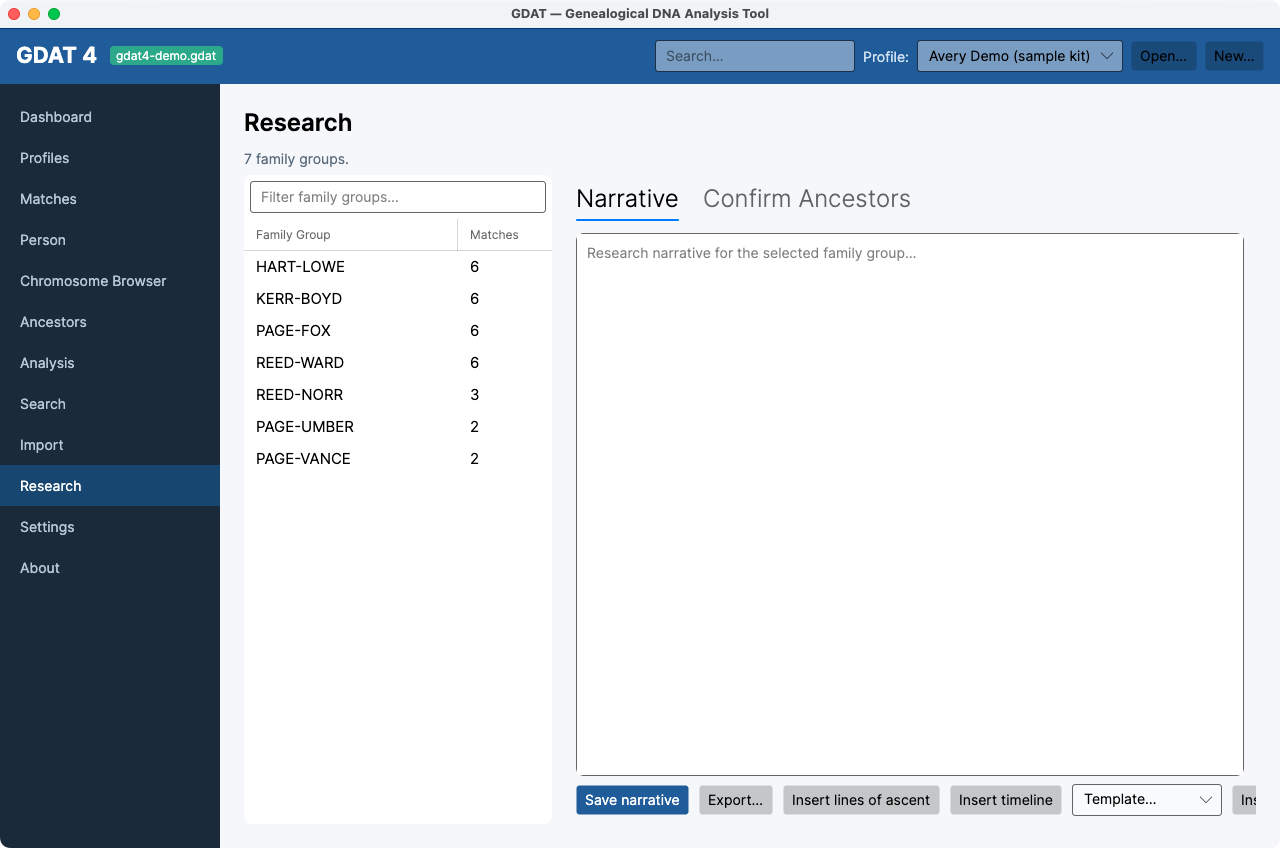
Research → Narrative gives each family group a research write-up:
- Select the family group.
- Write in the narrative box, or click Insert lines of ascent and Insert timeline to pull structured facts from the tree data automatically.
- Save reusable boilerplate with Save as template, and drop it into other groups with Insert template.
- Click Save narrative, and Export… to save a copy outside GDAT.
Narratives are plain text. The GDAT 4 narrative editor stores plain
text (which is also valid Markdown) rather than rich text — simpler to search, diff, and export.
Confirming feeds the analyses. Assigning matches to family groups sharpens
MRCA, Segments, and
Group Compare — the more you confirm, the more those screens can show.