Person
What it's for: one match in depth. The Person workspace follows the selected match — open it by clicking a row in Matches, Search, or an ICW list.
The header
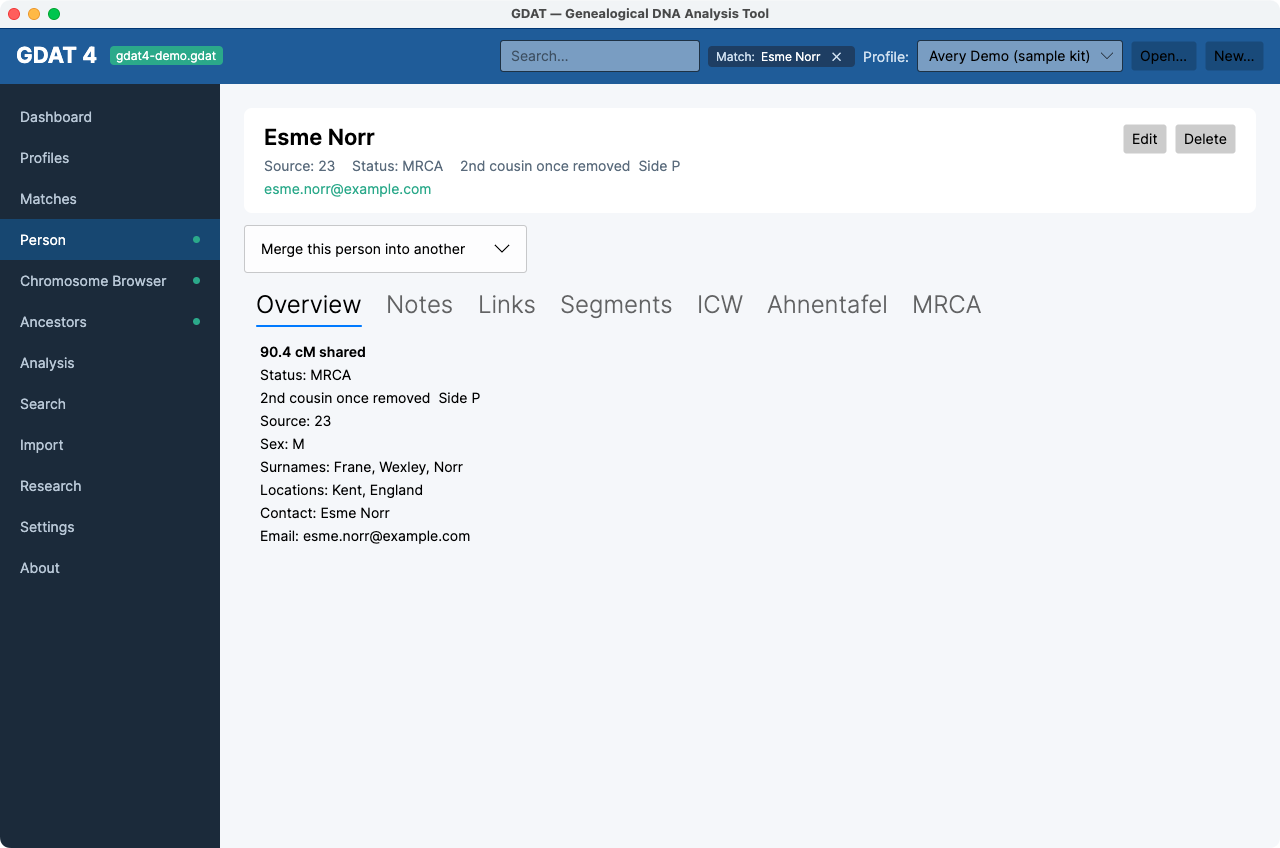
Shows the person's name, source, status, side/relationship, haplogroups, and contact email, with Edit and Delete buttons. Delete asks for confirmation (“Delete this person?”) and backs up the database first. A person that is a profile's own test kit can't be deleted.
The seven tabs
- Overview — all the person's detail; click Edit to set
Status, Side (
? / P / M / B), Relationship (with a green Suggested hint from shared cM), haplogroups, and contact info. - Notes — timestamped research notes; add and delete freely.
- Links — labelled URLs (tree, profile, document).
- Segments — the shared segments: Chr, Start (Mbp), End (Mbp), cM, SNPs, Source.
- ICW — who this person is in-common-with (In common with, Shared, Segs); double-click to open that person.
- Ahnentafel — this person's ancestor tree (#, Gen, Side, Name, Life, Birthplace, Group).
- MRCA — record a most-recent common ancestor; see Confirm & document an MRCA.
Merge duplicates
Expand Merge this person into another, enter the survivor's person Id, and click Merge. The person's matches and notes move to the survivor; a backup and undo record are kept.
Assigning a Side is high-value. Marking a match paternal or maternal feeds
triangulation and segment analysis. When you know a side, set it on the Overview tab.