Chromosome Browser
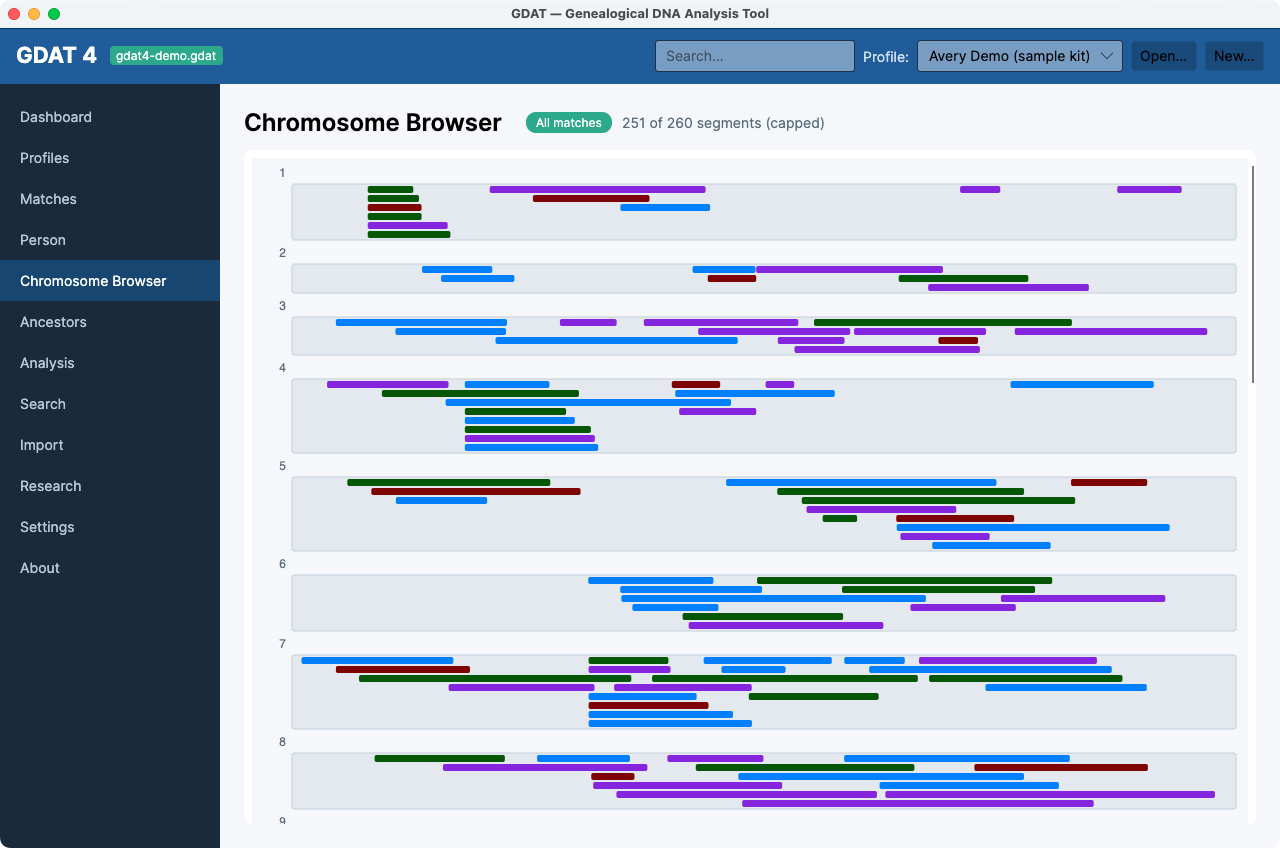
What it's for: painting your shared DNA segments across the 23 chromosomes, colored by testing company — a visual map of where your matches overlap.
Reading the browser
- Each chromosome is drawn as a bar; every shared segment is painted onto it, colored by source (the same colors as the chips in Matches).
- The scope chip reads All matches by default, or Person #… when you've selected a match — this is one of the three screens that follows the selected match (look for the accent dot in the sidebar).
- The summary shows the segment count, e.g. “12,430 segments” or “6,000 of 18,900 segments (capped)” when a very large kit is trimmed for performance.
False-positive regions are excluded. Segments overlapping your kit's
false-positive regions (pile-ups and centromeres) are left out, so you're not
misled by spurious matches.
Ancestry-only kits show nothing here. Ancestry doesn't provide segment
data, so a kit imported only from Ancestry has no segments to paint. Use kits from FTDNA, 23andMe, MyHeritage,
or GEDmatch for chromosome work.