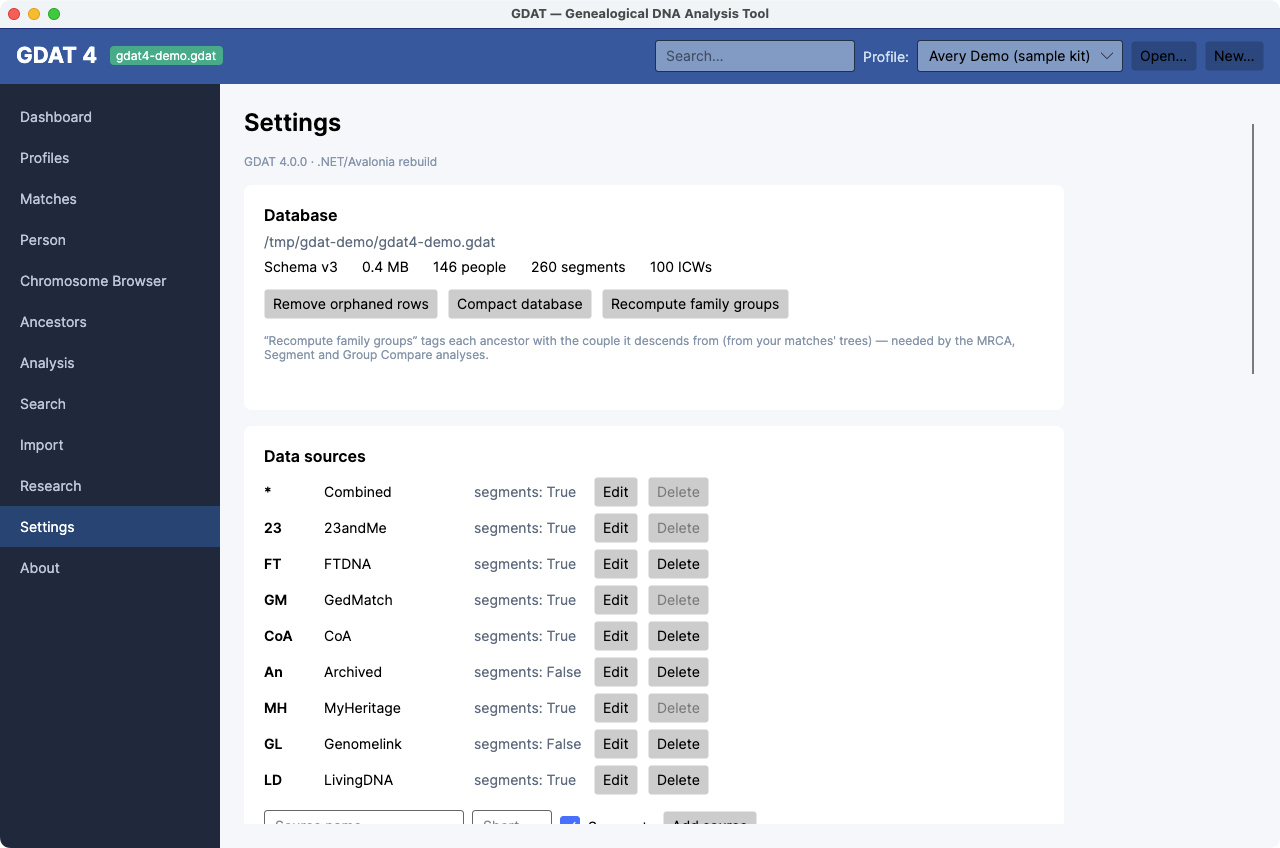
Settings
What it's for: database facts and maintenance, the reference tables (data sources and status codes), per-kit false-positive regions, and your CSV import templates.
Database
Shows the file path, schema version, size, and record counts, plus three maintenance actions:
- Recompute family groups — tags ancestors with their descending couple; required by MRCA, Segments, and Group Compare. See Recompute family groups.
- Remove orphaned rows — clears rows left behind by deletes.
- Compact database — reclaims unused space (reports the MB freed).
Data sources
Add, edit, or delete the testing companies GDAT recognizes, and whether each provides segments. System sources and in-use sources can't be deleted.
Match statuses
Your own workflow status codes (e.g. “To review,” “Confirmed”). Add, edit, or delete; mark a status Hidden to keep it out of the dropdowns. System and in-use statuses can't be deleted.
False-positive segment regions
Per active kit. Segments overlapping these regions are excluded from Segment analysis and the Chromosome Browser. Add a region (Chr, Start, End in Mbp), or click Seed defaults for the known centromere/pile-up regions, or Clear all.
CSV import templates
Define custom column mappings for CSV/paste imports. New… to create: give it a Name, Vendor, and Data kind (Relatives / Segments / Icws / Trees), tick Has header row if needed, and map each field to a column number (1 = first column; blank = skip). Saved templates appear in the Import dropdown.