Matches
What it's for: the active kit's matches as a fast, sortable grid. Filter, sort, add a person, or export — then click a row to open it in Person.
The grid
Columns: a source-colored chip (hover for the company), Name, Shared DNA, Largest Seg, Segs, Relationship, Side, Source, Status. The grid is virtualized, so even a six-figure match list scrolls smoothly.
Common tasks
- Filter — type in Filter by name… to narrow the list as you type (or press Enter).
- Sort — click a column header. The default sort is Shared DNA, highest first; click again to reverse.
- Open a match — click its row to open Person.
- Add a person — + Add Person creates “New Person” and opens it for editing.
- Export — Export CSV saves the list (default
matches.csv).
The counts on the right show “N shown” and “of total” so you can see how much your filter narrowed things.
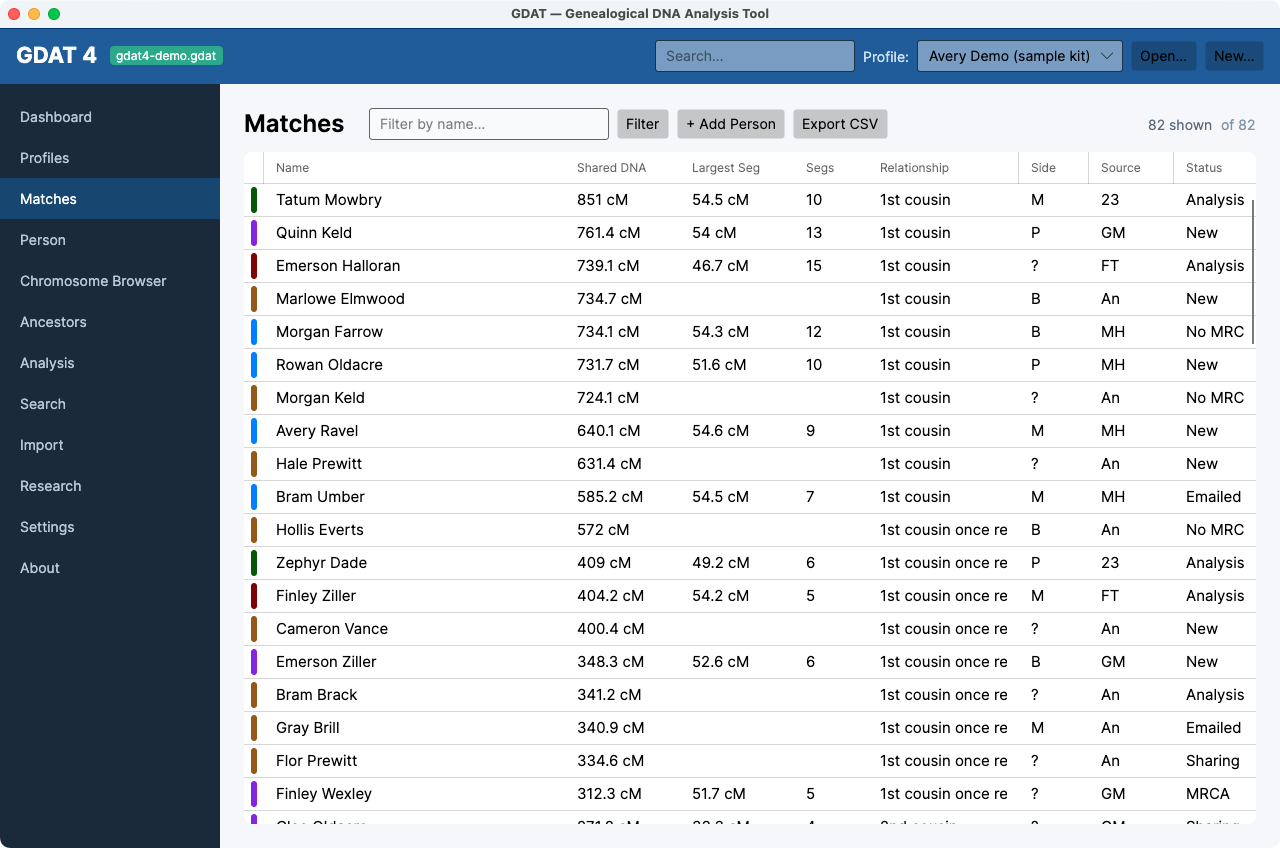
Sort by Segs or Largest Seg to surface matches with real
segment data (useful for segment work) versus Ancestry-only matches that
have none.