Ancestors
What it's for: viewing a person's ancestor tree — both as an ahnentafel grid and a drawn pedigree chart.
Common tasks
- Pick an owner from the dropdown (the top 200 people who have a tree; each shows its ancestor count). Ancestors also follows the selected match, so opening a person here shows their tree.
- Read the pedigree chart at the top — the nearest generations, drawn.
- Read the ahnentafel grid below — #, Gen, Side, Name, Life, Birthplace, Group. Drag the splitter to give either view more room.
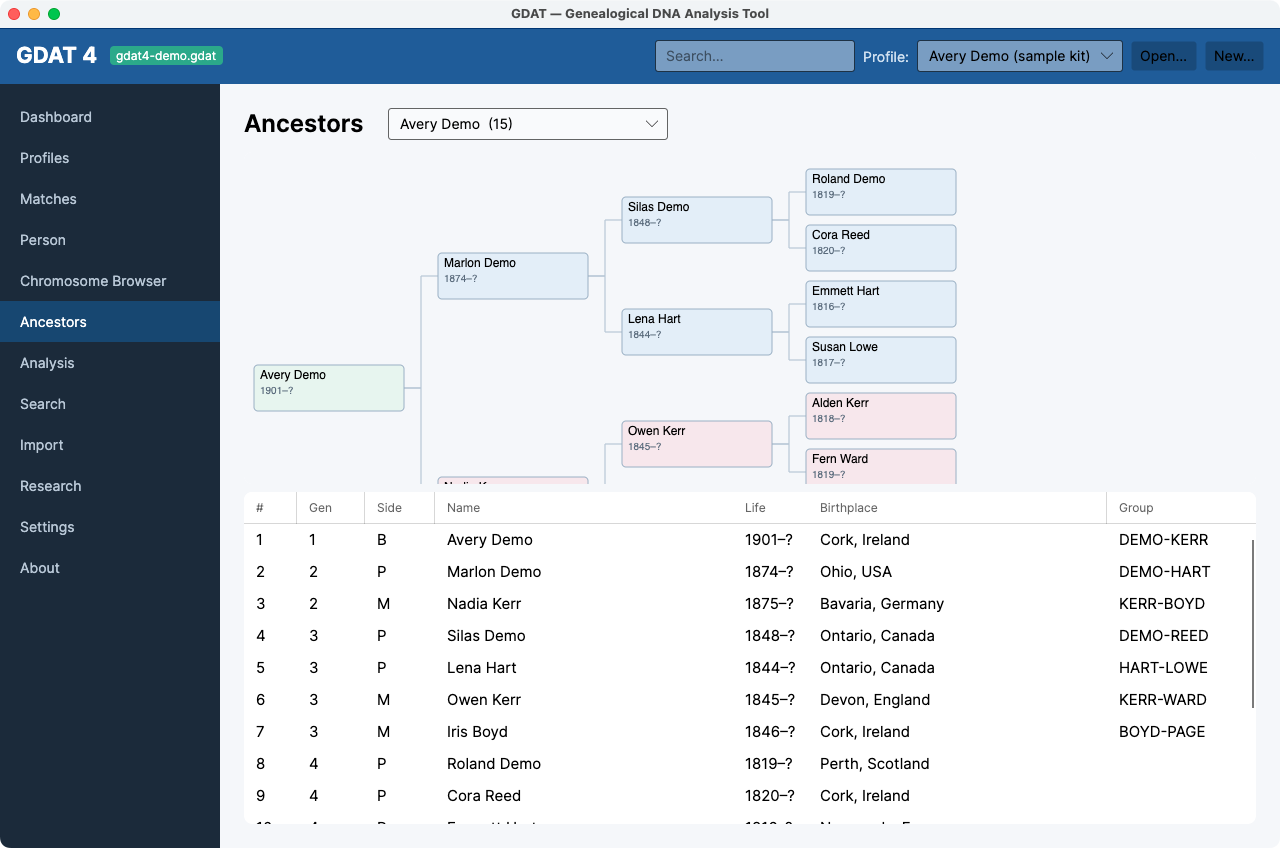
The # column is the Sosa number:
2 = father, 3 = mother, and so on. Even numbers are men, odd are women (except 1, the person themselves).
The Group column ties an ancestor to a family
group.