GDAT 4 Help
GDAT 4 (Genealogical DNA Analysis Tool) is a desktop app that helps genealogists make sense of their DNA matches. Load your matches from the testing companies, research and annotate them, paint shared segments across the chromosomes, cluster matches into family lines, and work with ancestor trees to find and confirm common ancestors — all on your own computer, with your data staying local.
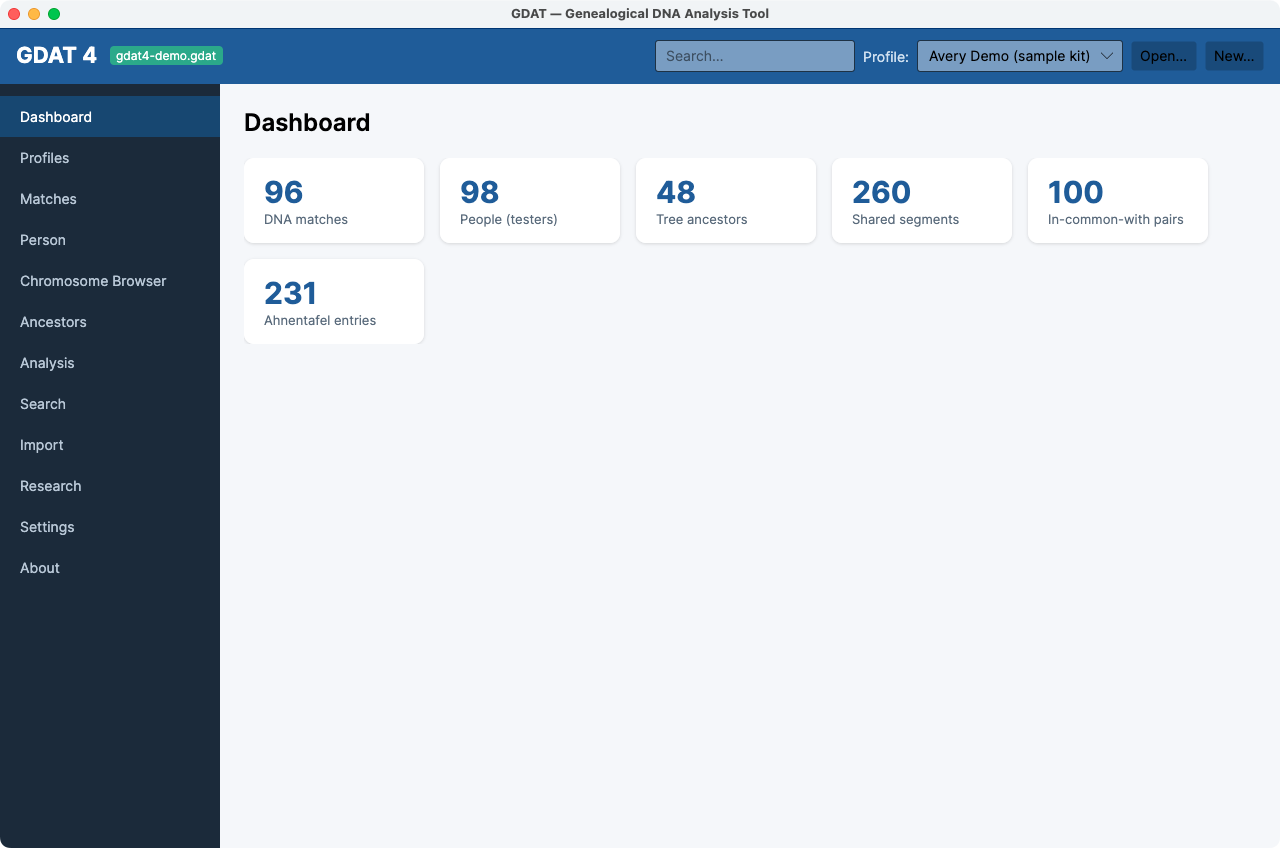
GDAT 4 is a ground-up rebuild of the classic GDAT app. It is the same tool, reorganized into a modern layout: a sidebar of workspaces down the left, a context bar across the top, and tabbed screens inside the busier workspaces. If you used the classic version, the concepts are identical — only the navigation has changed.
Start here
1. Install & update
Download GDAT 4 for macOS, Windows, or Linux and get it running. It coexists with the classic GDAT.
2. Getting started
The five-step path from an empty database to exploring your first matches.
3. Core workflows
Import, annotate, cluster, and confirm ancestors — the day-to-day tasks, start to finish.
How this help is organized
- Getting Started — install, and the first-run sequence.
- Core Workflows — task-oriented guides that cross several screens: import matches, browse & annotate, recompute family groups, cluster your matches, find common ancestors, and confirm & document an MRCA.
- Screen Reference — one page per workspace, in sidebar order, describing every control.
- Reference — the Glossary of DNA and GDAT terms and the FAQ & Troubleshooting page.
The GDAT 4 window at a glance
Two things frame everything you do:
- The top context bar shows the open database, a global search box, the Profile (kit) selector that scopes every screen, a chip for the currently selected match, and Open… / New… database buttons.
- The left sidebar lists the workspaces in order: Dashboard, Profiles, Matches, Person, Chromosome Browser, Ancestors, Analysis, Search, Import, Research, Settings, and About.