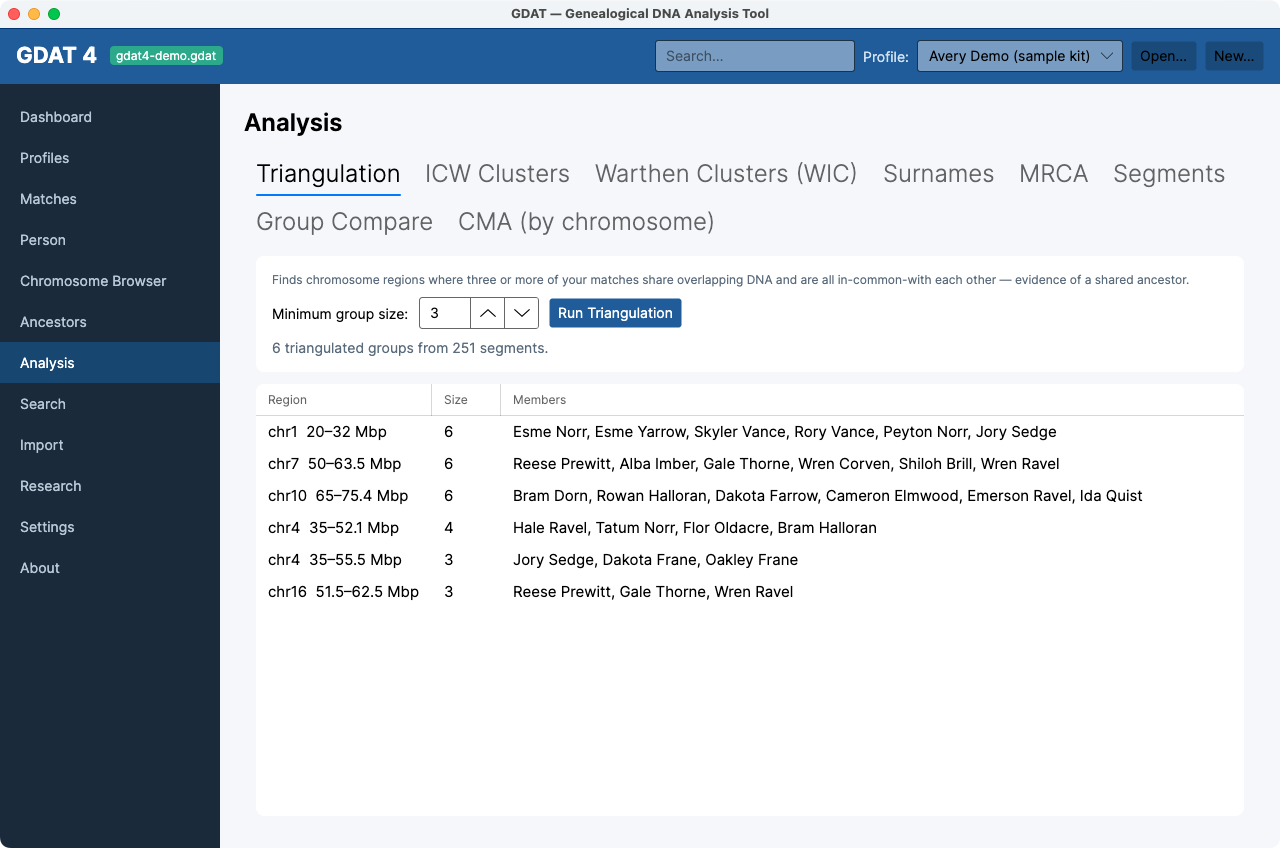
Analysis
What it's for: the clustering, triangulation, and comparison suite. Analysis is a tabbed workspace; heavy computations run in the background with a progress bar.
The eight tabs
Triangulation
Finds chromosome regions where 3+ of your matches share overlapping DNA and are all in-common-with each other. Set Minimum group size (default 3) and click Run Triangulation. Columns: Region, Size, Members; double-click opens the first member.
ICW Clusters
A Leeds-method matrix. Set Top matches (default 40) and click Build Matrix; clusters group along the diagonal. See Cluster your matches.
Warthen Clusters (WIC)
A tunable correlation-matrix heatmap. Controls: Top matches (100), cM from/to (20–4000), Min cluster (3), Company, and a threshold (Easy / Standard / Strict). Click Run WIC; hover a cell for the pair's shared cM and ancestors. Details on the WIC explainer.
Surnames
Ancestor surnames across your matches' trees. Click Load Surnames; the left grid lists Surname / Matches, and selecting one fills the right grid with the ancestors who carry it. Both grids filter.
MRCA
Matches grouped by shared ancestral couple. Click Load Groups; expand a group for its members (Match, Shared cM, Segs, Side, MRCA Note), and click the swatch to recolor. Needs family groups.
Segments
Shared segments grouped by family group, false-positive-excluded, each drawn as a proportional span bar. Filter by Chromosome and click Load Segments. Groups are badged Paternal/Maternal from the owner's tree.
Group Compare
Select one or more family groups (Ctrl/Shift-click) to compare their ancestral couples across each match's tree, side by side, with a segment panel below.
CMA (by chromosome)
Chromosome-aware clustering. Set cM from/to (10–1500) and Min SNPs (500), click Run CMA, then step through chromosomes with the dropdown. See the CMA explainer.