ICW Analysis
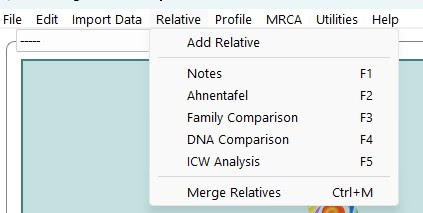
This page allows for a more in depth ICW analysis, and can be reached by using the Relative Menu, or via F5.
Information displayed on the page will depend on a number of factors, including what ICW information has been imported.
The drop down menu "Select Source" can help filter the display to a single source, and the tick boxes at the bottom will act in the same way as the same tick box set in other places in the program.
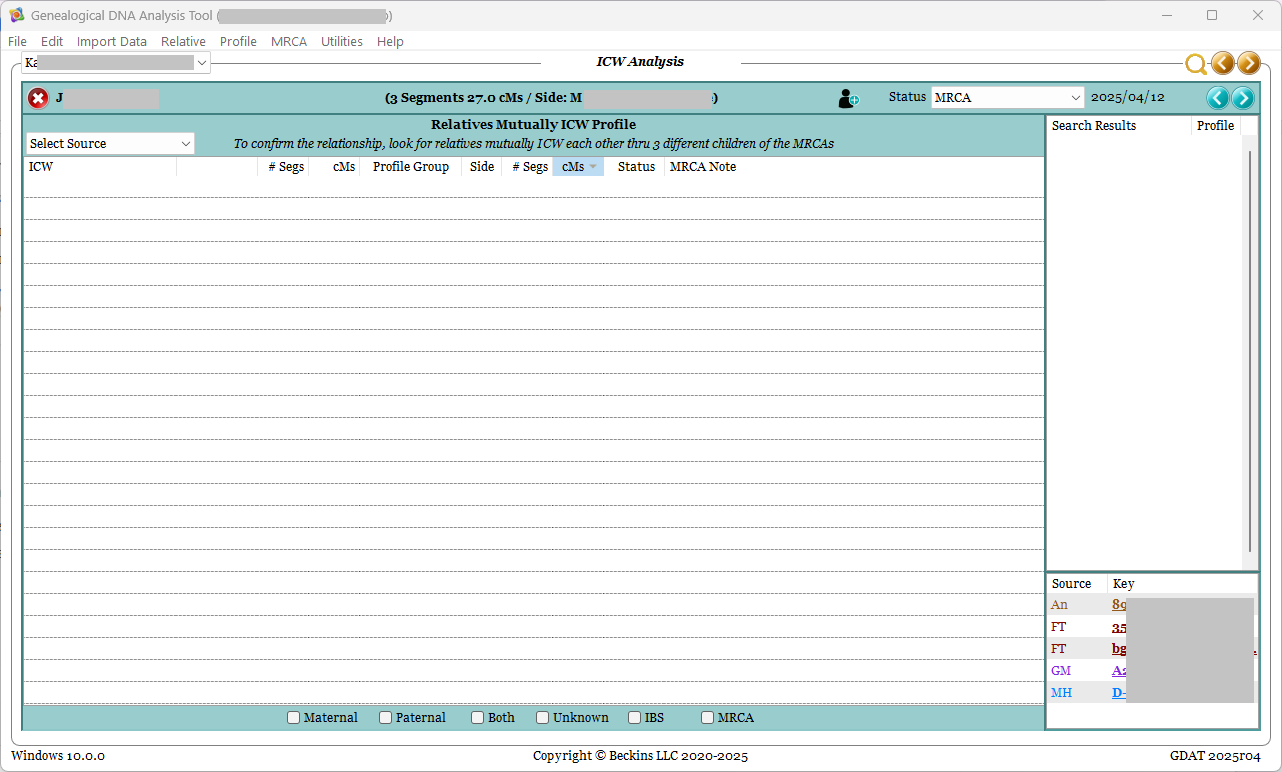
The information displayed on this page should allow for a greater level of ICW comparison than previously possible.
Looking at the ICW's shared between the profile person and the match, and depending on what information has been loaded, how the match and the ICW relatives potentially relate, and utilising the right click menu, as well as loaded trees, one should hopefully be able to make a more in depth analysis about some unknown connections, and hopefully make some more connections and expand one's own family tree.
Each column header can be clicked to sort the view if desired.
The 2nd, 3rd and 4th columns (to the left of the 1st "cMs" column) each relate to the name listed under ICW and how they relate to the relative in question.
The remaining columns, from "Profile Group" right, all relate to the relationship between the ICW and the Profile.
Right Click Menu
The right click menu has set options that will appear regardless of the source associated with the chosen ICW. There are also a range of possible options based on the Source of the ICW.
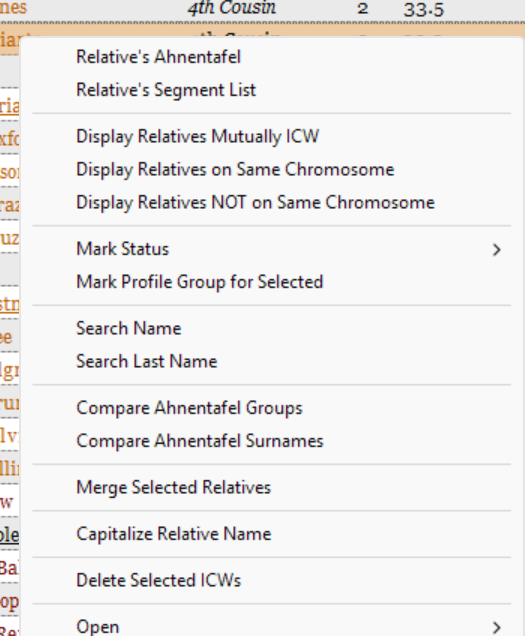
Set options include:
- Relative's Ahnentafel: opens the F2 Ahnentafel view for the chosen relative
- Relative's Segment List: displays popup with chosen relative's segment list
- Display Relatives Mutually ICW : Filters the available relatives down to show only those In Common With each subsequently chosen match and the Profile person. Can be used multiple times in a row, filtering each view down to just the Relatives selected in common with each other and the profile.
- Display Relatives on Same Chromosome: Filters the available relatives to show only relatives sharing at least one segment with the Relative displayed. (Relatives without segment data are ignored.)
- Display Relatives NOT on Same Chromosome: Filters the available relatives to show only relatives not sharing any segments that are shared between the Profile and Relative displayed. (Relatives without segment data are ignored.)
- Mark Status : Opens a list of all available status and allows status to be changed for selected ICW
- Search Name : Searches for identical name in full, results shown on the right hand side of the display
- Search Last Name : Searches for the surname of the ICW, results shown on the right hand side of the display
- Compare Ahnentafel Groups : Opens the Group Name comparison view. (*)
- Compare Ahnentafel Surnames : Opens the Surnames comparison view. (*)
- Merge Selected Relatives : Opens the Merge Relatives page for further analysis and potential merging of selected relatives.
- Capitalise Relative Name : Converts the initial letter of the name to a capital as needed
- Delete Selected ICWs : does as says, can be done on a one by one basis or multi-selected - back up first
- Open : Opens the selected browser page for the selected relative based on the primary sources associated with the relative for the current profile. You will need to be logged in correctly at the relevant site first.
(*) See Compare Ahnentafel Details for more information on these three comparison features.
Notes
There will be times when an ICW relative will display 0.0 cMs in either the first or second of the cMs columns.
If this occurs, check that you have loaded all possible segment and/or ICW information for the match.
If you have, it's possible that this ICW is either reflecting a connection with another profile, or possibly a mis-aligned import in times gone by.
If you do not wish this ICW to be present for this profile to relative association, use the right click menu option of "Delete Selected ICWs".
It is possible to multi-select unwanted ICWs to then delete all in one go. Backup first.