Download
Genealogical DNA Analysis Tool
Download
All GDAT downloads — Windows, macOS and Linux, stable and beta — are on the GDAT Downloads page.
Genealogical DNA Analysis Tool 2026r02
(Release Notes)
Read
Terms of Use
before downloading.
DNAGedcom Extract Tool
2026r01
Installing and Updating
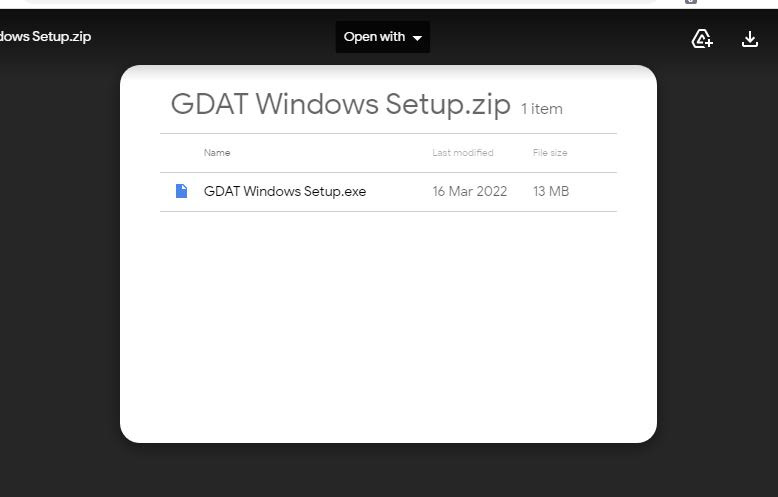
- Click on the link above relevant to your Computer.
- This will open a new tab, similar to the one shown adjacent. Mac will see two "folders".
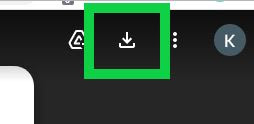
- Click on the Down arrow in the top right corner (in the green box)
- Save the zip file to your computer in an easy located place.
- Extract or Unzip the Zip File
- Open the folder and double click on the setup file and follow the guided instructions.
Note: You may get a warning from your anti-virus software as GDAT is a niche program used by a comparatively small number of users, and as such is often unknown to virus checkers.
Privacy Policy
Genealogical DNA Analysis Tool (GDAT) is a DNAGedcom standalone application (app) that runs on the user's computer.
Data Privacy
Data is imported into GDAT by you via either .csv files or by copy/paste. The GDAT database resides locally on your computer. You control completely what data is loaded into the GDAT database and how it is used.
Links to 3rd Party Sites
GDAT may contain web addresses (URLs) for other sites. If you select a third-party link, you will be directed to that site via your default browser. Note that these external sites are not operated by DNAGedcom LLC. Therefore, it is strongly advised that you review the Privacy Policy of these websites. DNAGedcom LLC has no control over and assumes no responsibility for the content, privacy policies, or practices of any third-party sites or services.
Changes to This Privacy Policy
The Privacy Policy may be updated from time to time. Thus, you are advised to review this page periodically for any changes. Notice of any changes is given by posting the new Privacy Policy on this page. These changes are effective immediately upon being posted on this page.
Apple Work Around
A recent change at Apple regarding new the scanning of new software means that a workaround is needed to install GDAT on Mac computers.
The workaround instructions for this are located on the Apple help pages.
Users in the facebook group have reported that they scanned the downloaded GDAT file with their preferred Anti-Virus software for peace of mind, and then did the workaround, and that then GDAT installed and ran for them.